
99acres, MagicBricks & Housing Leads: How to Capture, Tag and Route Portal Leads Without Leakage (2026)
Portal leads are the most expensive leads Indian brokers buy — and the easiest to lose. A practical 2026 guide to capturing, tagging, deduplicating and routing 99acres, MagicBricks and Housing enquiries without leakage.
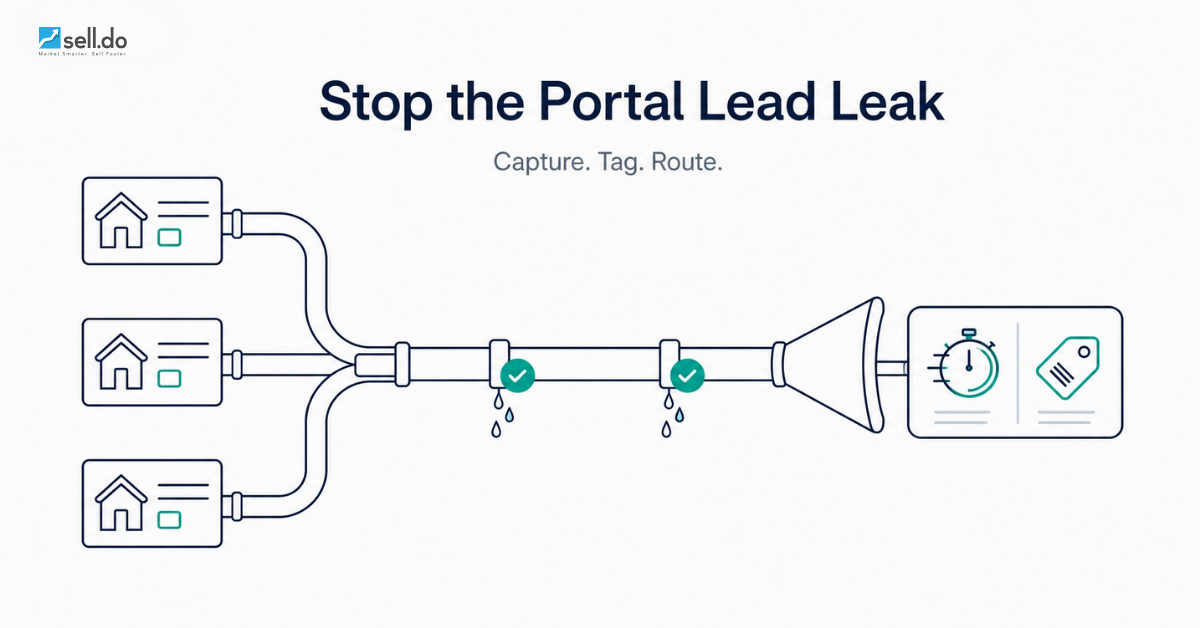
If you buy leads on 99acres, MagicBricks or Housing.com, the money leaves your account the moment the enquiry is generated — but it becomes revenue only if somebody calls it, tags it and follows it to a site visit. Most Indian brokerages and presales desks lose portal leads to plumbing, not competitors: an enquiry in a shared inbox at 9:40 pm, a duplicate two executives called separately, a blank source field that makes it impossible to prove which portal paid for itself.
This is the plumbing guide: how leads reach you from each portal, how to tag them, catch duplicates, route against a turnaround-time (TAT) clock, and report cost per portal lead. Written for brokers and channel partners buying their own leads, and for developer presales teams running portal spends alongside Meta and Google.
First, price the leak
Do this on a whiteboard first. Divide last month's portal invoice by enquiries received to get raw CPL, then divide it again by the leads actually called inside your stated TAT. A brokerage spending Rs 60,000 across two portals for 300 enquiries has a raw CPL of Rs 200 — but if only 180 were contacted within 30 minutes, a lead that got a fair shot cost Rs 333. The 40% you never worked properly still cost you full price.
Speed decides most of that gap. The Lead Response Management research popularised by Harvard Business Review found the odds of qualifying an enquiry fall sharply within the first hour, hardest in the first few minutes. Portal leads are the extreme case: the same buyer's number usually reaches several listings at once, so you are racing three other brokers, not a clock.
For the wider version of this problem — every gap between a click and a booking — see where brokers lose deals to lead leakage. This piece stays on the portal-specific plumbing.
From the team that built Sell.Do
See how Sell.Do runs your sales, pre-sales and marketing on one AI-first platform.
Portal by portal: how the lead actually reaches you
99acres
Enquiries land in the dashboard and, on most packages, go out by email to the registered account; larger agency and builder packages support CRM delivery via integration or API push. Nail down two things: whether your package includes API or webhook delivery (if so, use it — email parsing is a fallback, not a plan), and whether enquiries carry the listing or project identifier, which is what attributes a lead to a project rather than to '99acres' as a blob.
MagicBricks
MagicBricks also exposes leads in the dashboard with email delivery and offers CRM integration on business accounts. Two quirks: response types (call, chat, form) carry different field sets, so your parser must handle a phone-only lead with no email; and intent differs sharply between a project microsite enquiry and a locality search, worth capturing as a sub-source.
Housing.com and PropTiger
Housing.com enquiries reach the dashboard plus registered email, with API delivery on higher-tier and builder accounts. Housing, PropTiger and Makaan sit in one group, so developers running multiple listings should check that a buyer arriving via two of them is not counted twice in the ROI maths.
The delivery hierarchy, in order of preference
- API or webhook push. Structured fields in your CRM within seconds. No inbox, no parsing, no human. Ask for this first.
- Portal-to-CRM native integration. Same result, configured on the portal side. Verify the field mapping yourself — 'project' and 'locality' most often arrive empty.
- Email parsing. Notification emails forwarded to a CRM inbox that extracts name, phone, project and portal. Workable but brittle: portals change templates without notice, so alert on parse failures.
- Manual CSV export. Someone logs in and downloads a sheet. This is where leakage lives — treat it as a temporary state with a deadline, not a process.
The four failure points — and the fix for each
1. Capture: leads that never enter the system
An enquiry sitting only in a portal dashboard or shared inbox is invisible to reporting and assigned to nobody. One rule fixes it: no lead exists until it is a CRM record with an owner. Sell.do's unified capture is built for this — portals, ad platforms, website forms, WhatsApp and channel-partner portals all write into one pipeline, so nobody exports a spreadsheet to reconcile anything.
2. Tagging: a source taxonomy you can actually report on
Most CRMs end up with a source field that says '99acres' and nothing else, which makes every downstream question unanswerable. Use three levels:
- Source — the platform paying for the lead: 99acres, MagicBricks, Housing, Meta, Google, Website, Walk-in, Channel Partner.
- Sub-source — how it arrived within that platform: response form, call enquiry, chat, project microsite, locality search.
- Campaign or listing — the project or listing ID enquired on, so you can compare cost per booking across projects, not just across portals.
Make all three mandatory at creation, populated from the integration payload rather than a human dropdown — a field someone has to remember is a field that will be blank on your worst day. Every report you care about, from CPL to source-to-booking, sits on top of this.
3. Duplicates: the same buyer, three portals, two callers
Portal leads duplicate constantly — the same buyer enquires on two listings, or twice on one, or already exists from a Meta campaign. Two executives calling the same person within an hour is a credibility problem, not just a data one.
- Deduplicate on phone number first (normalise to 10 digits, strip +91 and leading zeros), then email as a secondary key.
- On a match, do not create a new lead — attach the enquiry as an activity on the existing record and keep the original owner. Re-assigning mid-conversation is how deals get dropped.
- Still record the second enquiry's source. A repeat from a different portal is a strong intent signal that should raise priority, not vanish.
- Set a re-enquiry window (30 or 90 days) after which a returning buyer counts as new for attribution, and write the rule down so CPL stays comparable month to month.
4. TAT: the clock nobody is watching
A routing rule without a clock is a filing system. Decide who gets the lead, then decide what happens when they do not act: round-robin within the team handling that project, capped by working hours and current load, escalating to the team lead if no call is logged inside the TAT window. Assignment logic is covered in depth in our explainer on lead routing and response time.
Three rules specific to portal leads: give them a tighter TAT than organic ones (5 to 15 minutes, because you are in an auction for the same buyer); give after-hours enquiries an automated first touch, an AI agent or WhatsApp auto-reply that acknowledges and offers a call slot; and publish TAT compliance per executive weekly, because teams improve what they can see.
Reporting: cost per portal lead, and then cost per booking
Once source, sub-source and listing are populated on every record, the reports that decide next quarter's portal spend run themselves:
- Leads and cost per lead by portal (invoice divided by leads received).
- Qualified rate by portal — how many survived first contact, where cheap portals often stop looking cheap.
- Site visits and bookings by portal, giving cost per site visit and cost per booking.
- TAT compliance by portal and executive, so you know whether the portal underperformed or your team did.
CPL alone is a misleading number to renegotiate a contract with: a portal delivering leads at Rs 400 that book at four times the rate of a Rs 150 portal is the cheaper channel. That reframe is worth reading in full in cost per lead vs cost per booking. Sell.do ties source and campaign attribution through to bookings, so the renewal conversation runs on booking data, not lead counts.
A seven-point audit of your portal pipeline
- Every portal delivers into the CRM automatically — no dashboard-only leads, no shared inbox as the system of record.
- Source, sub-source and listing populated from the payload on 100% of portal leads.
- Phone-number deduplication on creation, with a written re-enquiry window.
- Automatic, load-aware assignment giving every lead a named owner within seconds.
- A TAT clock from creation that escalates on breach, tighter for portal leads than other sources.
- An automated acknowledgement for after-hours enquiries within minutes.
- A monthly report of CPL and cost per booking by portal, plus TAT compliance by executive.
If you cannot tick all seven, the gap likely costs more than the portal package: a 40% failure rate on Rs 60,000 a month is Rs 2.9 lakh a year of enquiries you paid for and never worked.
Related reading
- Real Estate Lead Leakage: Where Brokers Lose Deals — the full map of gaps between click and booking.
- Speed to Lead in Real Estate — why the first 60 seconds decide the booking.
- Real Estate Lead Management: The First-Touch-to-Booking Playbook — the process this plumbing feeds.
Stop paying for leads you never call
Portal spend only pays back when every enquiry is captured, tagged, deduplicated and called inside a clock you can see. Sell.do brings portal, ad-platform, website, WhatsApp and channel-partner leads into one pipeline with automatic tagging, duplicate detection, load-aware routing, TAT dashboards and source-to-booking attribution. See the AI-agentic CRM built for Indian real estate, or book a walkthrough and we will map your portal pipeline end to end.
Insights from the Sell.do real-estate CRM team.