
CRM vs ERP – Which Wins for Real Estate Teams in 2026?
CRM vs ERP for real estate in 2026—see which system actually improves sales, lead conversion, channel partners, and operational clarity for developers.
By the time most real estate teams reach 2026, the problem isn’t a lack of leads. It’s what happens after those leads come in.
Sales managers want cleaner pipelines. Marketing teams want attribution that actually makes sense. Leadership wants predictability without micromanaging daily activity. Somewhere in the middle sits the recurring question: CRM vs ERP—and whether one system can realistically solve everything.
The confusion is understandable. Both tools promise structure. Both claim visibility. But in real estate, the gap between what looks good in demos and what works on the ground is wide. Choosing the wrong system doesn’t just slow teams down—it quietly erodes sales momentum.
What Are CRM and ERP in the Real Estate Context?
In theory, CRM and ERP sound complementary. In practice, they live very different lives inside a real estate organization.
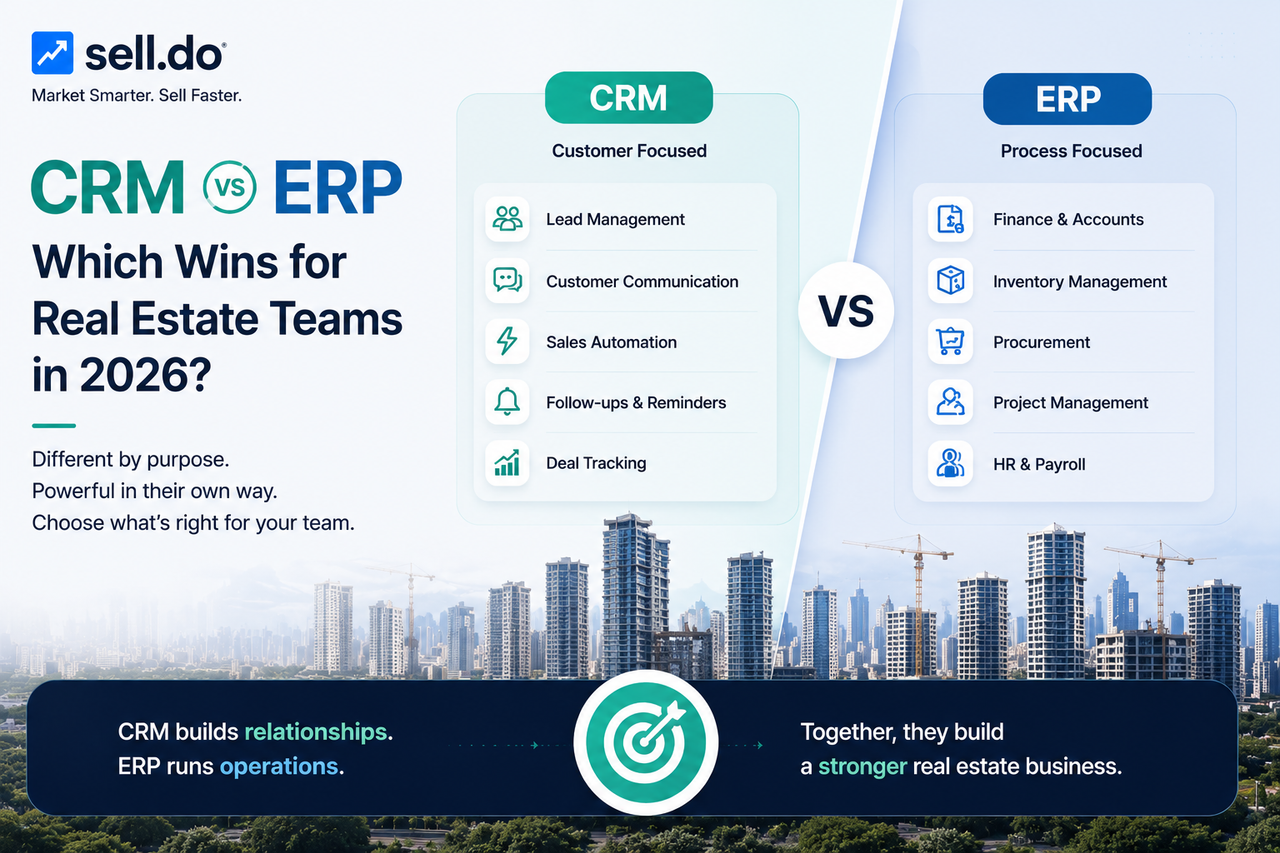
A CRM is where sales happens. Leads enter, calls are logged, site visits are scheduled, negotiations unfold, and bookings get tracked. It’s the system sales teams open first thing in the morning—and check last before logging off.
ERP systems serve a different audience. They exist for finance teams, project managers, and operations heads. These platforms track payments, expenses, procurement, approvals, and compliance across projects.
Most confusion around ERP and CRM starts when leadership expects one system to replace the other. That expectation rarely survives real usage.
From the team that built Sell.Do
See how Sell.Do runs your sales, pre-sales and marketing on one AI-first platform.
What Makes CRM Essential for Real Estate Teams in 2026?
Sales cycles haven’t become simpler. They’ve become faster—and less forgiving.
Lead and enquiry management
CRM platforms bring enquiries from portals, websites, walk-ins, and campaigns into one timeline. Sales reps don’t guess context; they see it.
Sales funnel tracking
A CRM doesn’t just show deals—it shows hesitation. Managers can spot stalled site visits or dropped follow-ups before they turn into lost revenue.
Automation for sales and marketing
Automation isn’t about removing people. It’s about removing dependency on memory. Follow-ups happen because the system insists, not because someone remembered.
Channel partner management
Brokers expect speed and transparency. CRMs handle onboarding, lead distribution, inventory access, and commission tracking far better than ERP systems ever will. This alone explains a major difference between CRM and ERP for developer-led sales.
Enhanced customer experience
When buyers don’t have to repeat conversations, trust builds naturally. CRM systems quietly support this continuity.
When Does an ERP Make Sense for Real Estate Businesses?
ERP systems aren’t unnecessary—they’re just often premature.
Finance and accounting workflows
Once projects multiply and payment structures grow complex, ERP systems offer control that spreadsheets can’t.
Inventory and resource management
Construction-heavy developers use ERP tools to manage vendors, materials, and timelines.
Project tracking and compliance
For large organizations, regulatory consistency matters. ERP provides guardrails.
Enterprise-level operations
When scale introduces operational risk, ERP becomes a stabiliser—not a growth driver.
Understanding this distinction helps frame CRM and ERP as sequential investments, not competing ones.
CRM vs ERP: What’s the Real Difference?
The real difference between ERP and CRM shows up in daily behaviour—not feature lists.
Primary purpose
CRM exists to move deals forward. ERP exists to keep operations under control.
Core users
CRM is used continuously by sales teams. ERP is accessed periodically by finance and operations.
Complexity level
CRM adapts to how teams work. ERP requires teams to adapt to the system.
Data focus
CRM records conversations and intent. ERP records costs and commitments.
Impact on real estate teams
CRM affects revenue today. ERP affects efficiency over time.
Cost and implementation
CRM delivers faster ROI. ERP demands patience, budget, and alignment.
Viewed this way, the CRM vs ERP question becomes far more practical.
Do Real Estate Teams Need a CRM, ERP, or Both in 2026?
There’s no universal answer—but there is a common pattern.
CRM for sales-driven teams
If growth depends on improving enquiry handling and closure rates, CRM delivers immediate value. CRM acts as the front-office system and can be used for:
High-velocity enquiry handling: Auto-capture leads from portals, ads, WhatsApp, walk-ins, and route them instantly to the right sales representative.
Lead qualification & prioritisation: Score enquiries based on intent, budget, project fit, and engagement history.
Follow-up automation: Schedule reminders, trigger WhatsApp, SMS, or email nudges, and prevent lead leakage.
Site visit & meeting tracking: Log visits, feedback, and representative performance to improve visit-to-booking ratios.
Sales pipeline visibility: Track enquiry → site visit → negotiation → booking in real time.
Channel partner coordination: Manage partner leads, avoid conflicts, and track partner-wise conversions.
Marketing ROI tracking: Attribute bookings back to campaigns, portals, or sources—without guesswork.
ERP for heavy backend processes
When operational complexity outweighs sales complexity, ERP begins to make sense. Typically, ERP is helpful for:
Inventory & unit-level accounting: Maintain master records for units, pricing, cost sheets, and availability.
Booking-to-possession workflows: Manage agreements, milestones, handovers, and compliance checkpoints.
Finance & accounting: Handle ledgers, receivables, GST, invoices, interest calculations, and audits.
Vendor & procurement management: Track contractors, materials, payments, and project-level expenses.
Statutory & regulatory compliance: Support RERA reporting, audit trails, and financial disclosures.
Cost control & forecasting: Monitor project profitability, cash flow projections, and variance reports.
Both for enterprise-scale developers
Large organizations eventually use both systems—typically with CRM feeding structured data into ERP platforms. At enterprise scale, CRM and ERP work together in the following way:
CRM manages demand: Leads, site visits, negotiations, bookings, and customer communication.
ERP manages delivery: Financials, inventory accounting, construction milestones, and statutory reporting.
Clean data handoff: Booking confirmations, customer details, unit allocation, and payment schedules flow from CRM into ERP.
Single source of truth: Sales teams don’t touch accounting, and finance teams don’t chase sales updates.
Leadership visibility: CXOs get both pipeline health (CRM) and financial health (ERP) without manual reconciliation.
This layered approach reflects the real-world difference between CRM and ERP—not a textbook definition.
Key Features to Compare Before Choosing (2026 Checklist)
Instead of asking what software can do, teams should ask what they need visibility into.
Lead journey visibility vs operational visibility
CRM shows buyer behaviour. ERP shows internal execution.
Sales automation vs financial automation
CRM reduces response delays. ERP reduces accounting errors.
Marketing and communication integrations vs backend integrations
CRM connects with portals, telephony, WhatsApp, and email. ERP connects with finance and compliance tools.
Customer insights vs resource insights
CRM explains conversion patterns. ERP explains cost patterns.
This lens usually resolves the ERP and CRM debate quickly.
Why CRM Wins for Most Real Estate Teams in 2026
Most real estate businesses don’t lose deals because accounting is slow. They lose deals because follow-ups are delayed, inventory clarity is missing, or conversations fall through cracks.
CRM systems address these problems directly. They’re easier to adopt, faster to scale, and aligned with how sales teams actually work.
That’s why, in most practical CRM vs ERP decisions, CRM becomes the first—and often most impactful—investment.
Sell.Do CRM – The Smart Choice for Real Estate Teams in 2026
Sell.Do is built around real estate sales realities, not generic enterprise workflows.
It supports:
Lead capture and intelligent distribution
Clear pipeline visibility and sales performance tracking
Marketing automation with attribution clarity
Channel partner and broker workflows
Integrated telephony and omnichannel communication
Booking, documentation, and payment tracking
For many developers, these capabilities cover the full revenue journey. ERP adoption can follow later, once operational complexity truly demands it. Detailed feature explanations are available across Sell.Do’s product and solution pages.
This reinforces the practical difference between ERP and CRM in day-to-day usage.
The CRM versus ERP debate isn’t about technology preference. It’s about sequence.
For most real estate teams in 2026, a CRM isn’t just a tool—it’s the backbone that directly impacts what buyers and leadership experience most: speed, clarity, and consistency. ERP has its place, but rarely as the starting point.
If improving sales execution is the goal, CRM remains the clearer choice.
Book a demo of Sell.Do and see how your team can move from enquiry to booking with greater speed, clarity, and control.
The right system doesn’t just support growth—it removes friction from it.
FAQs
How does a CRM help real estate teams improve lead quality and conversion rates?
By centralizing enquiries, tracking engagement history, and enforcing structured follow-ups, CRM systems reduce lead leakage and improve qualification discipline across sales teams.
Is ERP software too complex for small or mid-sized real estate developers?
Often, yes. ERP platforms are designed for large-scale operational control and can slow teams down when backend complexity doesn’t justify the investment or effort.
What common mistakes do real estate businesses make when choosing between CRM and ERP?
The most common mistake is expecting ERP systems to fix sales inefficiencies, while overlooking the fundamental difference between CRM and ERP in revenue-focused workflows.
Do CRMs support automation for channel partner and broker workflows?
Yes. Modern CRMs support partner onboarding, automated lead distribution, real-time inventory visibility, and commission tracking—areas that ERP systems typically do not address.
What challenges do real estate businesses face when implementing ERP systems?
Common challenges include lengthy implementation timelines, high costs, and low adoption from sales teams—especially when the system does not deliver immediate revenue impact.
Insights from the Sell.do real-estate CRM team.