
How to Use a Real Estate CRM to Improve Lead Generation (2026)
A CRM does not create demand, but it stops lead leakage and slow follow-up. Six practical ways to get more bookings from the leads you already generate.
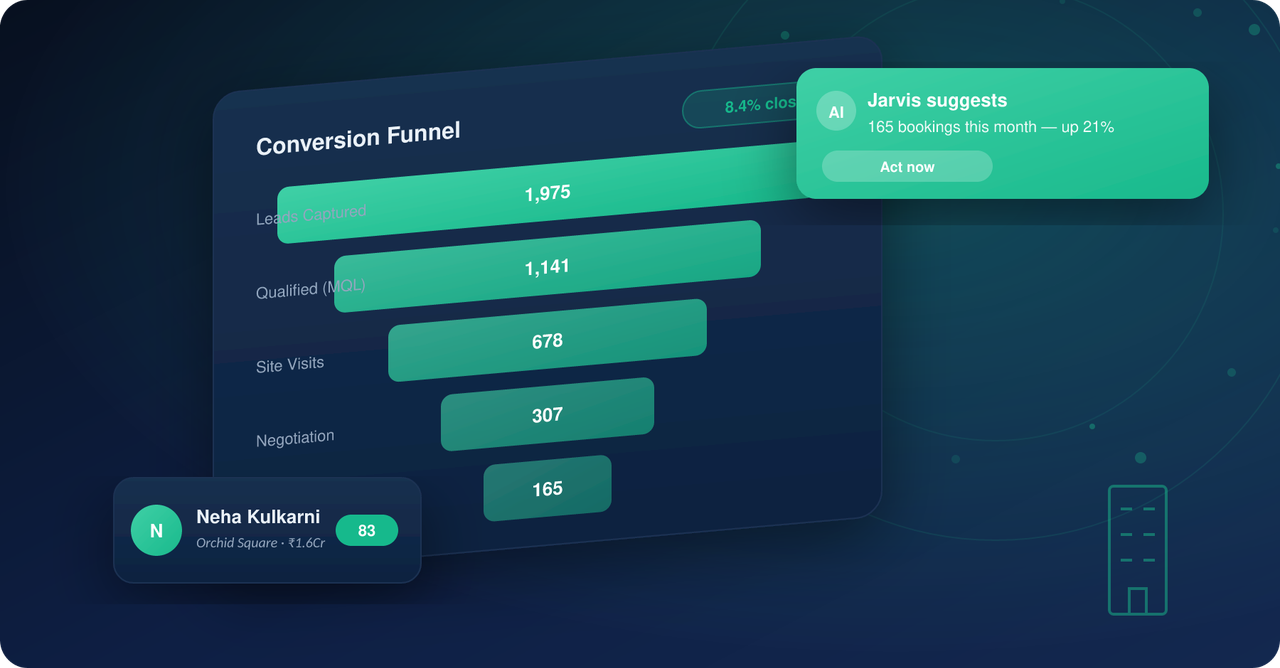
A real estate CRM does not create demand by itself. What it does is capture every enquiry from every source, tag it correctly, get the first call or message out within minutes, and show you which campaigns end in site visits and bookings. For Indian developers and brokers, the biggest lead generation gains from a CRM come from stopping leakage and slow follow-up, not from adding yet another lead source.
Lead generation vs lead capture: where a CRM actually helps
Lead generation is the work of creating enquiries: Meta and Google campaigns, portals such as 99acres, MagicBricks and Housing, your own website, channel partners and referrals. A CRM sits behind all of that. It receives the lead, decides who gets it, makes sure someone responds, and records what happened. If you generate 1,000 leads and respond to half of them late, the CRM is where you find and fix that.
From the team that built Sell.Do
See how Sell.Do runs your sales, pre-sales and marketing on one AI-first platform.
Six ways a CRM improves lead generation results
1. Capture every source in one place
Leads arrive through ad lead forms, portal emails, website forms, WhatsApp, walk-ins and channel partners. Without a CRM they sit in inboxes and spreadsheets, and some never reach a salesperson. Connect each source so a lead appears in the system as soon as it is created, with no exports. Our guide to lead sources for real estate agents lists where enquiries typically come from.
2. Tag the source and campaign correctly
If you cannot tell which campaign produced which booking, you will keep spending on the wrong ones. Auto-tagging source, campaign, ad set and project at the moment of capture is what makes cost per lead and cost per booking meaningful. See cost per lead vs cost per booking for why the second number matters more.
3. Respond fast and measure it
Speed to first contact is one of the few levers fully in your control. Route new leads by project, source or city, alert the owner instantly, and track turnaround time (TAT) to first call. Our speed-to-lead guide covers targets and escalation rules. Calling and WhatsApp inside the CRM mean the attempt is logged without anyone typing a note.
4. Stop lead leakage
Leakage happens when leads are duplicated across brokers, reassigned silently, left untouched, or exported by someone leaving the team. Duplicate detection, ownership rules, activity logs and role-based access close most of these gaps. Brokers in particular should read about lead leakage in 2026.
5. Qualify and prioritise
Not every lead deserves the same effort. Capture budget, location, configuration, timeline and funding in a few structured fields, then use scoring or rules to rank leads so the team calls the most promising first. AI agents can also do the first qualifying conversation and book the site visit, leaving humans for the conversations that need them.
6. Nurture the leads that are not ready
Most enquiries are not ready to buy this month. A CRM lets you schedule follow-ups, send WhatsApp or email sequences based on stage and interest, and bring a lead back when they revisit your website or respond to a new launch. This is where strategies for real estate lead generation turn from one-time campaigns into a pipeline.
What to measure
- Leads by source and cost per lead.
- Time to first contact (TAT) by team and by source.
- Contact rate: the share of leads actually reached.
- Lead to site visit and site visit to booking conversion.
- Cost per booking by campaign.
- Untouched or stale leads older than your SLA.
A simple setup checklist
- 1List every lead source and connect each one to the CRM.
- 2Define source and campaign tags and make them mandatory.
- 3Set routing rules and a first-touch SLA, such as a call within five minutes of enquiry.
- 4Turn on duplicate detection and ownership locking.
- 5Create a daily view for each salesperson: new leads, due follow-ups, overdue leads.
- 6Review the funnel and source report weekly, and move budget accordingly.
Where Sell.do fits
Sell.do brings Meta, Google, portals, website, walk-in and channel partner leads into one CRM, tags them automatically, and puts calling and WhatsApp inside the same record. The AI agent can respond and qualify new enquiries and book site visits, and reports show cost per lead and campaign ROI by source. You can see the full real estate CRM or compare options in our free CRM guide.
Frequently asked questions
Can a CRM generate leads on its own?
No. A CRM captures, routes and tracks leads from your campaigns, portals and partners. Its value is in making sure every lead is responded to quickly and that you know which sources actually convert.
What is the first thing to fix to get more from my leads?
Response time. Measure the gap between enquiry and first contact. Most teams find leads waiting hours, and cutting that gap raises contact rates without any extra ad spend.
How does a CRM prevent lead leakage?
By detecting duplicates, locking ownership, logging every activity and controlling who can export or view leads, so a lead cannot be silently reassigned or taken away.
Is a spreadsheet enough for a small brokerage?
At a very small scale, perhaps, but it does not alert you to missed follow-ups, log calls, or show source performance. Most brokers outgrow it quickly.
Which metrics should I look at first?
Cost per lead by source, time to first contact, and site visit to booking conversion. Together they show where you are losing money or leads.
Related reading
Insights from the Sell.do real-estate CRM team.